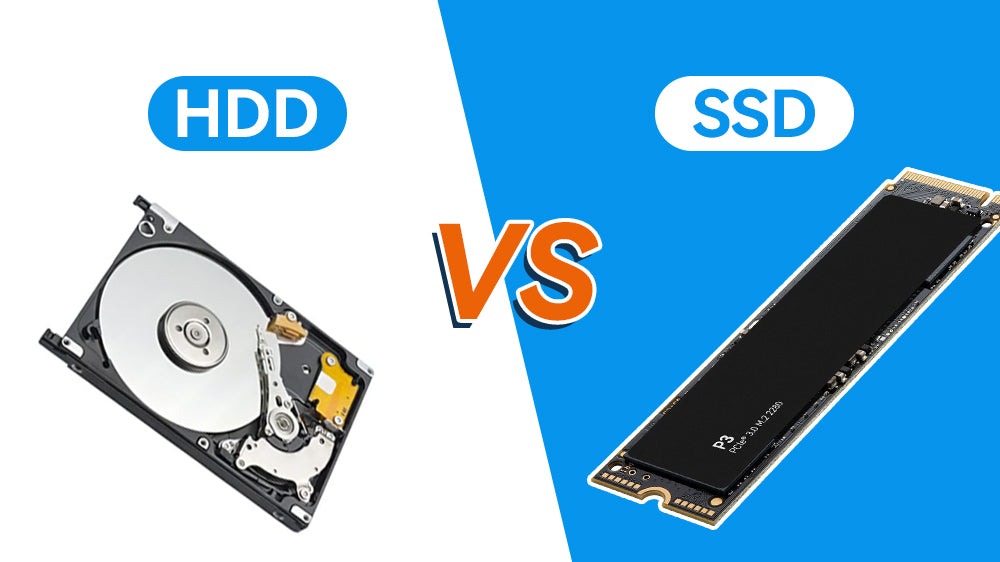
Don’t choose between SSD and HDD before reading this
It’s 2026. One of these storage technologies is quietly becoming obsolete for everyday use. Here’s who should still buy an HDD — and who absolutely shouldn’t.

Truth is – laptops in 2026 need solid state storage. Spinning disks just won’t cut it anymore. Now, when it comes to assembling a desktop, things shift slightly. Same goes for setting up a system meant to store lots of videos or music. There, old-school drives might still have a place. Bottom line stands: no excuses for portable machines. The rest? Worth thinking through differently.
Speed differences between SSDs and HDDs now feel endless. From a stop, NVMe drives pull ahead with speeds near 7,450 megabytes each second. Older spinning disks crawl at about 270. Startup moments show where it hits hardest – five or ten seconds compared to nearly a minute. Not just numbers on paper.
Your mug loses heat while files load. Waiting turns routine into something heavier.
Where speed actually matters
Right away, players spot the difference. Loading times drop two to five fold when swapping HDDs for SSDs, while hiccups during gameplay vanish – textures load smoothly in sprawling games such as Cyberpunk 2077. Editors face a steeper contrast. Moving frame by frame through 4K video crawls on older drives. With an SSD, handling clips from multiple cameras stops being painful.
Most days at the desk, it feels smoother than expected. Not merely comfortable – actually faster in how things get done. That 50GB file? Spins up slowly over six minutes using older drive types. With flash-based storage, half a minute covers it.
These days, nobody argues about whether it works. Trust comes standard now
One outdated idea about hard drives lasting forever has lost its grip. Data from Backblabe’s third quarter of 2025 puts drive failures near one point five five percent each year. Solid state options stay under a single percent on average. What stands out even more – everyday users saw their solid state drives fail only half a percent of the time last year, yet spinning disks held steady at one and a half. When machines travel inside backpacks or get jostled daily, flash-based storage proves far tougher by design. Dropping your gear won’t wreck it, since nothing spins inside.
The One Place HDDs Still Win
For storing lots of data, hard drives still win on price. Each terabyte from a 20TB business-grade drive runs roughly fifteen bucks. Meanwhile, four-terabyte solid-state units sit near eighty dollars per terabyte. Saving old video edits? Keeping family pictures safe? Hosting movies at home? The numbers favor spinning disks every time.
Who should pick what
Most people now spend hours on their computers. Laptops work faster with one of these drives inside. Gamers notice smoother performance when levels load quicker. Video editing feels less like waiting around. Creative apps respond without delays. Time matters, so speed makes sense.
For huge file storage at home, go with an HDD when it’s about backups. If your NAS setup must stay cheap, that could work too. When money is very limited – and speed isn’t key for everyday jobs – this older tech fits.
Most experienced users go with two drives. One solid state unit handles the core software, while ongoing work stays close at hand. Slower mechanical disks store old files, backups, or large media libraries. This mix balances speed and space. Cost stays reasonable when pairing a small flash drive with high-capacity spinning storage.
Final verdict
Most everyday computer tasks? Solid state drives just work better. Speed gap here is not a small step forward – it flips everything. Hard disk drives now fit only one role: storing massive amounts of old files. Rest belongs on flash chips.
Subscribe to my whatsapp channel
